A product of Infergent Labs
SajagसजगIn-plant vehicle tracking
Gate to gate, every vehicle.
Every route. Every alert that matters.
Sajag (सजग) — Hindi for “alert”
Sajag is an in-plant vehicle tracking system for plants, mines and large industrial sites. It tracks every outside vehicle from the entry gate to the exit, and raises an alert only when something real happens.
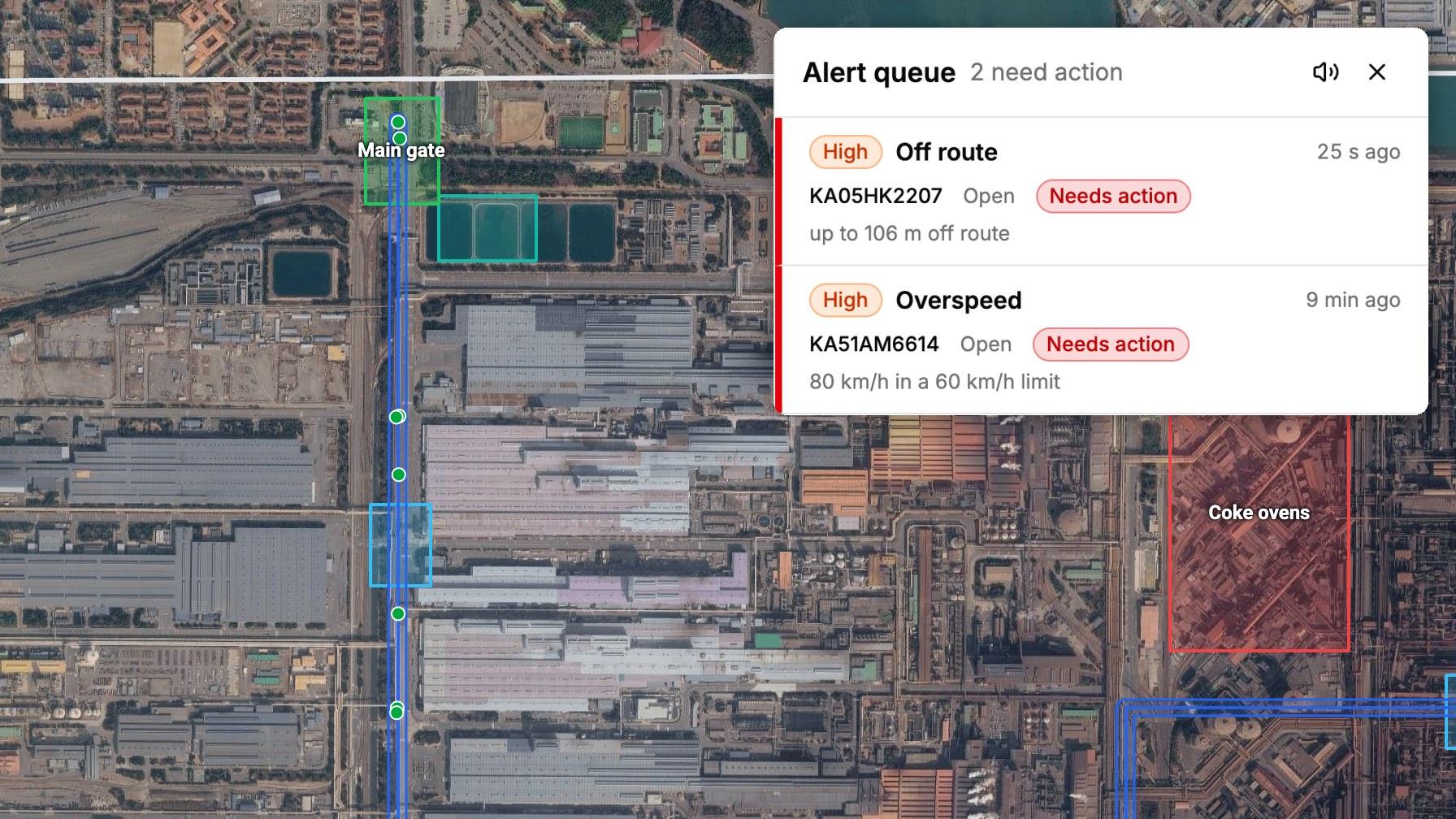
Gate to gate
Every outside vehicle, from entry to exit
1 alert
Per incident, not one per position
Deploy anywhere
Your cloud, your servers or ours
Your language
English, Hindi, Arabic and your own language
For plants, mines and large industrial sites
Why it matters
Why track vehicles inside a plant
At most plants a vehicle is seen at the gate on the way in and again on the way out. In between, the register has nothing, cameras see only fixed points, and guards can't follow every vehicle across a site several kilometres wide. That is where accidents, pilferage and long delays happen.
01
Safer roads inside
Trucks, tankers, dumpers and earthmovers share roads with people, rail crossings, cranes and hot-metal traffic. Overspeed and stops where they aren't allowed are flagged as they happen.
02
Danger areas kept clear
A vehicle entering a no-go area, such as the coke ovens, raises a critical alert at once, with a siren in the control room.
03
Material goes where it should
A truck that leaves its route or stops in a quiet corner can mean material moved, swapped or taken. It shows while it happens, not at the weighbridge.
04
Turnaround you can see
How long vehicles spend inside, where they wait and which overstay, by transporter, so delays can be fixed.
05
Facts instead of registers
Every trip is kept with its track and events, so a dispute with a transporter or an incident review starts from what happened.
06
Help where it's needed
An SOS, or a tracker pulled off, reaches the control room with the vehicle's place on the map.
Already tracking?
Where tracking often falls short
Sites that already track their vehicles often meet the same four problems. Sajag is built to fix them.
01
Too many alerts to act on
An alert for every position buries the few that matter, so the control room stops trusting them.
How Sajag fixes it02
Positions that arrive late or jump
Weak signal inside steel structures delays uploads; rough positions from mobile towers make playback jump across the map.
How Sajag fixes it03
Routes that don't fit the roads
Real roads loop, cross and branch. Simple lines, or no routes at all, make normal driving look like deviation.
How Sajag fixes it04
Data on someone else's platform
Tracking data sits on a vendor's shared platform, outside the site's control.
How Sajag fixes it
Gate-to-gate truck tracking
How a trip works
- 1
Entry
The gate scans a tracker with a handheld scanner or the camera, enters the vehicle and driver, and picks the approved route. An uncharged tracker, or one without a recent GPS fix, is refused.
- 2
Briefing
The gate shows the route's map, its checkpoints in order and the zones they lie in. Where the site allows it, a QR code opens the route on the driver's own phone.
- 3
Attach
The driver fixes the tracker to the vehicle. If it doesn't start moving within the site's attach window, the control room is alerted.
- 4
Inside the site
The control room sees the vehicle live with its route corridor, and every position is checked against the site's rules.
- 5
Exit
The gate records the vehicle leaving and takes the tracker back for charging. One not handed back in time raises an alert.
- 6
Afterwards
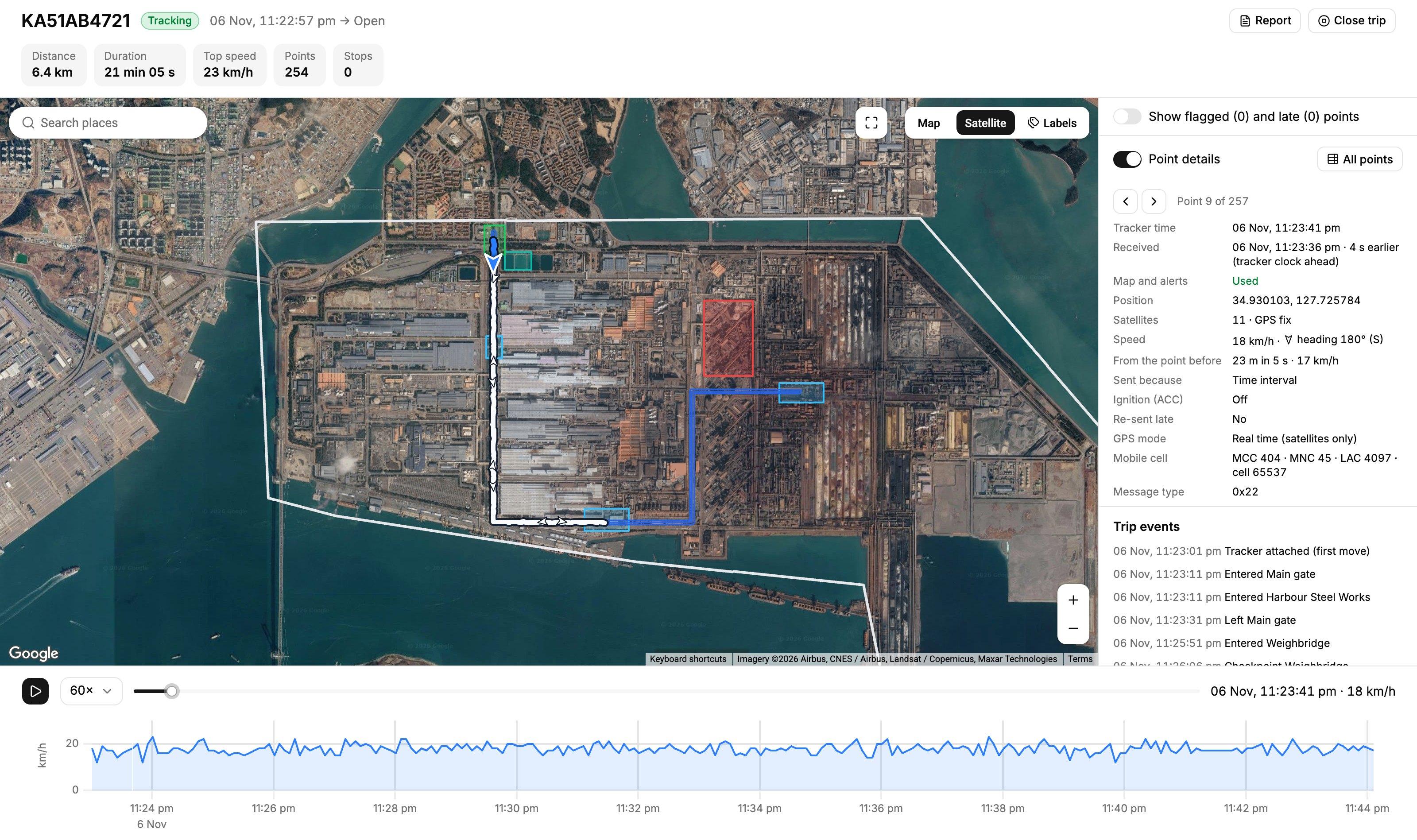
Every trip replays on the map with its events and every point's details, and prints as a trip report.
Route planning and geofencing
Routes and zones that match the site
Draw or import
Draw on the map, or import from Google Earth or GIS tools (KML) and fine-tune by hand against the file's own line.
Corridors
Each route has a corridor: how far a vehicle may stray from the line before it is off route.
Round trips and branches
A route may cross itself on the way back, and branch where a road leaves it.
Checkpoints in order
A weighbridge on the way in and again on the way out; after exit, one alert names any checkpoint not reached.
Zones
Boundary, gates, authorised stops, no-go areas, speed limits, dead zones, charging areas, shops and buildings.
Turn off, keep history
Turn a route or zone off for road works without deleting it; every change keeps its history.
Route deviation, overspeed and geofence alerts
Alerts you can trust
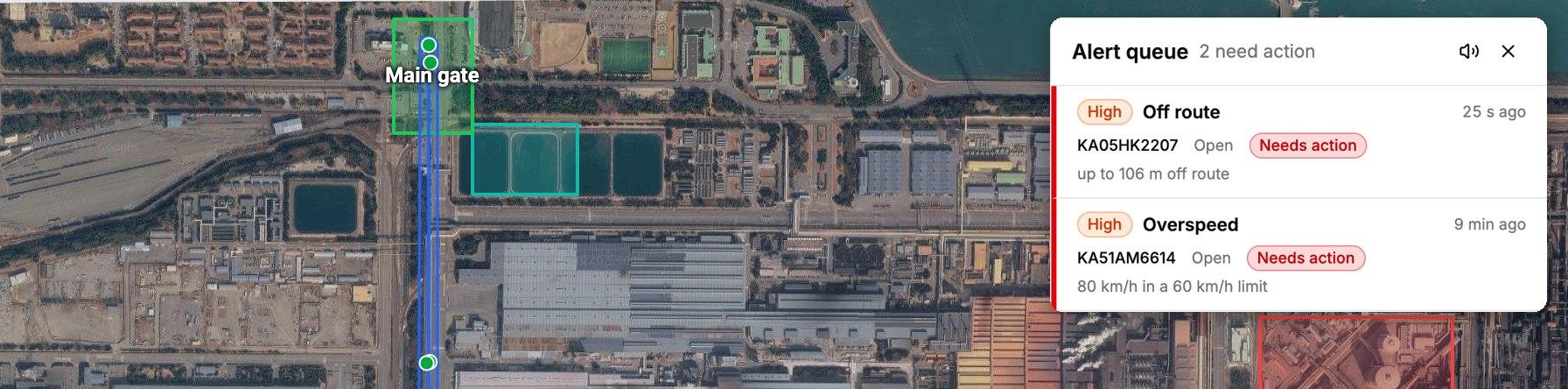
One alert per incident. It opens when the problem starts, updates while it lasts and closes when it ends. Ten minutes off route is one alert, not hundreds.
| What usually goes wrong | How Sajag handles it |
|---|---|
| False alarms from bad positions | Every position is checked before any rule sees it. Only real GPS fixes are used, impossible jumps are dropped, and the tracker's own clock decides when a position happened. |
| Late positions raising old alarms | Positions uploaded late fill in the trip's history without raising alerts for things long past; alarms that arrive late are marked as delayed. |
| “Offline” in weak-signal areas | Areas with poor coverage can be marked as dead zones, so a vehicle passing through one doesn't raise an offline alert. |
| Rules nobody can tune | The site sets its own rules: which are on, their thresholds and severity, without new software. Safety alerts can't be switched off. |
Eleven rules
Each tuned per site. Marked ones are safety alerts and always on.
- 01Off route
- 02No-go zoneAlways on
- 03Unauthorised stop
- 04Overspeed
- 05Offline
- 06Low battery
- 07SOSAlways on
- 08Tracker pulled offAlways on
- 09Not attached
- 10Not returned
- 11Checkpoint missed
GPS trip playback and reports
Replay any trip, point by point
A trip's track, speed and events, in order. For any point: when it was sent, how many satellites it saw and why it was sent.
Reports
Answers for every review
Seven reports, each in CSV and print. Management sees every site's month side by side, with no personal data.
| Report | Answers |
|---|---|
| Overview | How the site is doing today, this shift or over a period |
| Shift report | What happened in the shift and what was handed over |
| Incident response | How fast alerts were acknowledged, against the site's targets |
| Gate and trips | Turnaround, late attaches and returns, trips without a route |
| Transporters and vehicles | Which transporters and vehicles have incidents, fairly compared |
| Tracker fleet | Trackers by status, hours on trips, battery at issue, GPS quality by model |
| Monthly service report | The month in one document |
No app needed
Route guidance for drivers
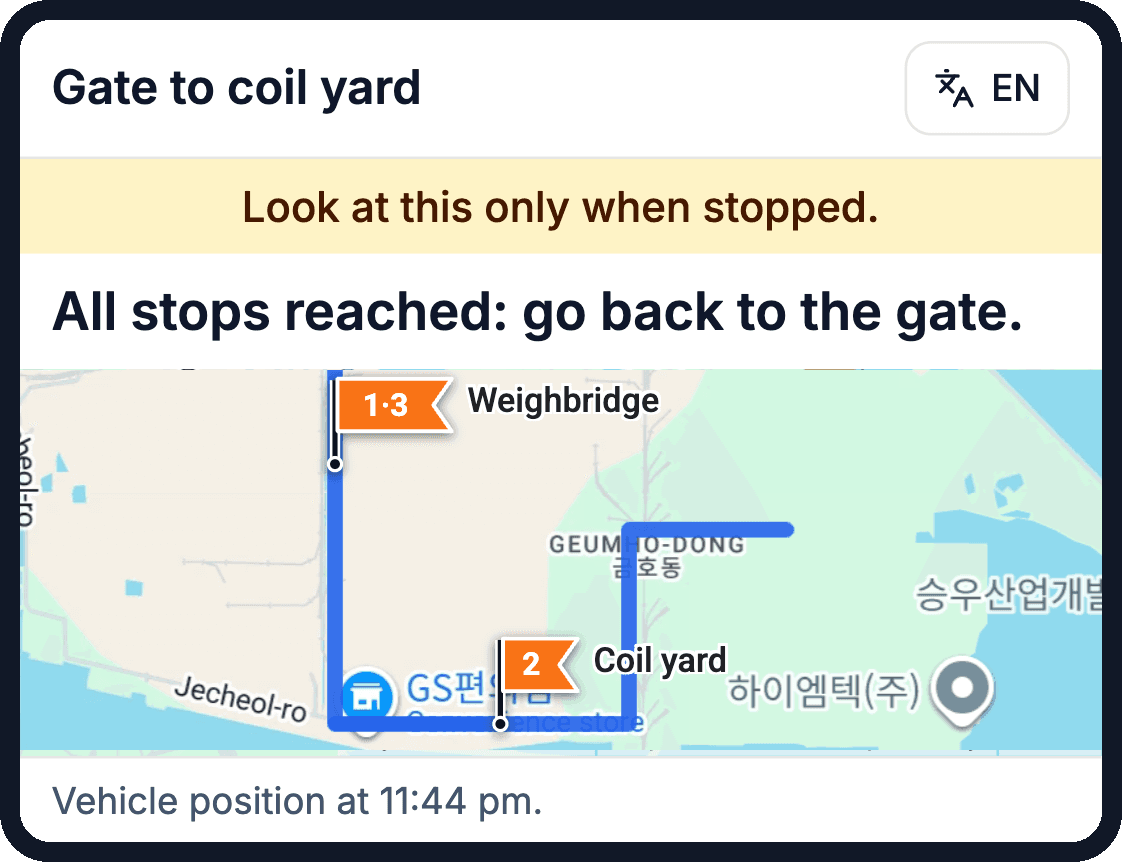
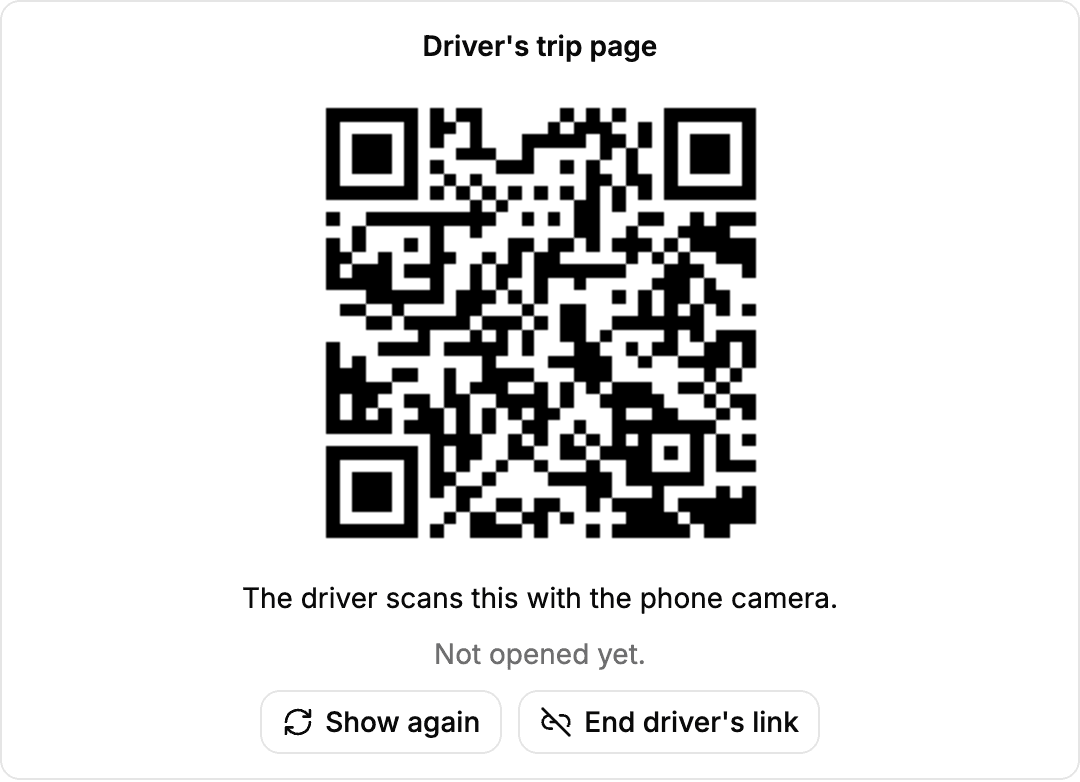
Drivers see their approved route and next checkpoint on their own phone, and can be warned the moment they leave the route. A QR code at the gate opens it; no app to install, no sign-in.
- The trip's route, the next checkpoint and the vehicle's position.
- A warning when the vehicle leaves the route: “You have left the route: go back to it.”
- “Show where I am”, from the phone's own GPS, which never leaves the phone.
- It stops working when the trip ends.
- Shows nothing about other vehicles, people or alerts.
- The gate can end it at once.
Each site decides whether to use it and what it shows.
For the gate, control room and management
What each team gets
Gate
Issue · Swap · Return
One screen to issue trackers, see the vehicles inside, swap a tracker mid-trip, take trackers back and manage the charging pool.
Control room
Watch · Act
One live map with routes, zones and checkpoints; an alert queue sorted by urgency, with a siren for critical alerts; the last 10 minutes of a vehicle's track one click away.
Site admin
Configure · Control
Routes, zones, alert rules and tracking settings; trackers and their models; users with built-in roles or the site's own; an activity log that cannot be altered.
Management
Review · Compare
Every incident and action time-stamped and kept; seven reports in CSV and print; every site's month side by side, with no personal data.
Integration
Works with SAP and your ERP
Sajag can be integrated with SAP or any other ERP system your organisation runs, so vehicles, transporters and trips line up with the records your teams already work from.
- SAP
- Any ERP
- Your existing systems
Security and deployment
Your data, under your control
Your cloud, your servers or ours
Your cloud
In your organisation's own cloud account, such as AWS, Microsoft Azure or Google Cloud.
Your data centre
On servers in your own data centre.
Hosted by Infergent Labs
A dedicated deployment we run for you.
Deploy where you choose
A dedicated deployment for your organisation: in your own cloud, your own data centre, or hosted by Infergent Labs. Never a shared platform.
Two-step sign-in
A password and an authenticator code for every user, over encrypted connections only.
Only approved trackers
An unknown tracker waits for an administrator before it can report.
Roles for everyone
Who sees what, down to drivers' names and phone numbers; each site sees only its own data.
Backed up
Encrypted data, nightly backups and a tested restore.
A record that can't change
An activity log that cannot be altered, not even by the system's own services.
Multi-site vehicle tracking
One system for every site
Every site
Each site with its own routes, zones, trackers, rules and users. Adding a site is set-up, not new software.
Your language
English, Hindi, Arabic and your own language, right to left where needed, chosen by each user.
Any screen
Desktop first, also on tablets and phones, and installable on a phone's home screen.
Any tracker
Supports any VTS tracking device protocol, from the widely used GT06 to others: magnetic, fixed or ID-card trackers.
Getting started
How a rollout runs
Phase 01
Proof of concept
A few trackers report to Sajag on the site's real trips, beside any current system.
Phase 02
Set-up
Boundary, gates, routes and zones from the site's own files; users; rules tuned.
Phase 03
Training
Gate and control room staff, on the site's own trips.
Phase 04
Go-live
Infergent Labs supports the site remotely and on site.
Coming next · On the roadmap
Sajag AI
From alert to action, in seconds
An AI agent that works beside your security team. It speaks to drivers, settles routine alerts and briefs the control room, so people spend their time on what matters.
01
Talks to drivers
Short voice messages in the driver's own language: “You've left the route. Turn back at the next junction.”
02
Settles routine alerts
Short stops, late returns and similar minor alerts are checked with the driver and closed, with the reason on record.
03
Briefs the control room
Each incident comes with a clear summary and a suggested next step, ready to approve.
04
People stay in charge
Safety alerts always go to people first. Every AI action is visible, logged and can be reversed.
In-plant vehicle tracking: questions
Questions
What is in-plant vehicle tracking?
Tracking outside vehicles, such as trucks, tankers and dumpers, while they are inside a plant, mine or other gated site, from the entry gate to the exit: their route, their stops, the areas they enter and how long they stay. Sajag does this with a GPS tracker issued at the gate and returned at exit.
Do drivers need an app?
No. Drivers open their route in the phone's browser from a QR code at the gate, with no sign-in, and it stops working when the trip ends. Each site decides whether to use it and what it shows.
Where does Sajag run?
In a deployment dedicated to your organisation: in your own cloud account (such as AWS, Microsoft Azure or Google Cloud), in your own data centre, or hosted by Infergent Labs. Never on a shared platform.
Which trackers does Sajag work with?
Sajag supports VTS tracking device protocols, from the widely used GT06 to others, including magnetic, fixed and ID-card trackers. Tell us your model.
Can we use the routes we already have?
Yes. Sajag imports routes and zones from KML files made in Google Earth or GIS tools, and you fine-tune them on the map.
Will we drown in alerts?
No. Sajag raises one alert per incident and checks every position before any rule sees it. Your administrator tunes the rules for your site; safety alerts stay on.
Can it work with SAP or our ERP?
Yes. Sajag can be integrated with SAP or any other ERP system, so vehicles, transporters and trips match your existing records.
We have several plants. Is that one system?
Yes. Each site has its own routes, zones, trackers, rules and users, and head office sees every site's month side by side.
Which languages does it support?
English, Hindi, Arabic and your own language, right to left where needed. Each user chooses.
Can we try it before we commit?
Yes. A proof of concept runs on a few trackers and real trips, beside your current system if you have one.
What does it cost?
It depends on the number of sites and trackers and on where Sajag is deployed. Talk to us for a proposal.
Next step
See Sajag on
your own site
Tell us about your site: its gates, its roads and how many vehicles are inside at peak. We will show you Sajag with your own routes, and run a proof of concept on a few trackers and real trips, beside your current system if you have one.
Request a demoPowered by
Infergent Labs